Hover for the outline
InspectorHover the left edge of the page for the outline, word count and backlinks. Click a heading to jump to it.Hover the left edge of the page for the outline, word count and backlinks. Click a heading to jump to it.
The enjoyable way to work with what your agents make.
Plain Markdown files, right on your Mac.
Free · Apple silicon · Notarized by Apple
 Claude Code
 Codex
Codex Cursor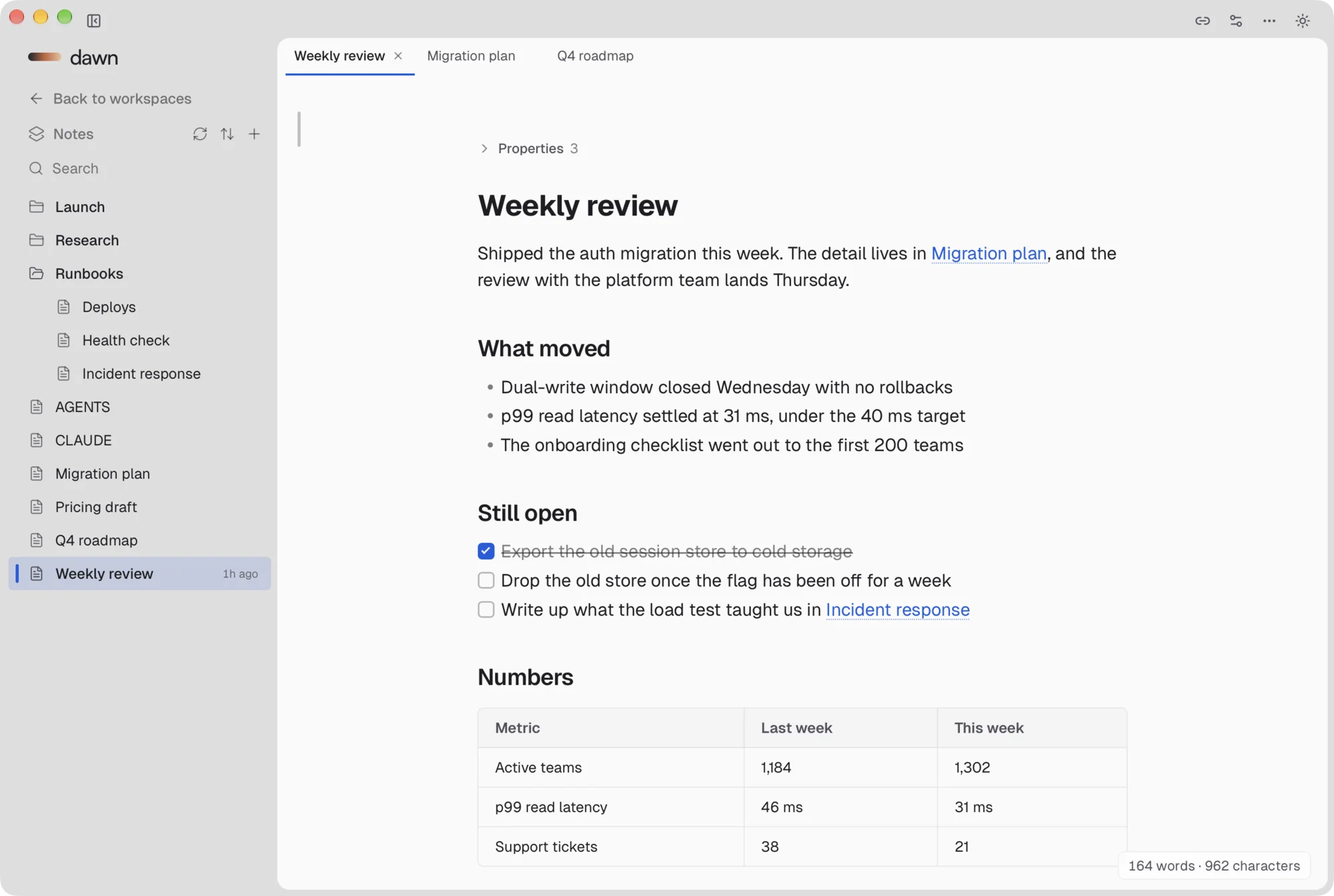
Dawn sets itself up in Claude Code, Codex and Cursor. When your agent finishes a file, the page opens right beside the chat.
Tighten step 2 of the migration plan and show me when it's done.
Step 2 is shorter, and every check now has a target. Here's the page:
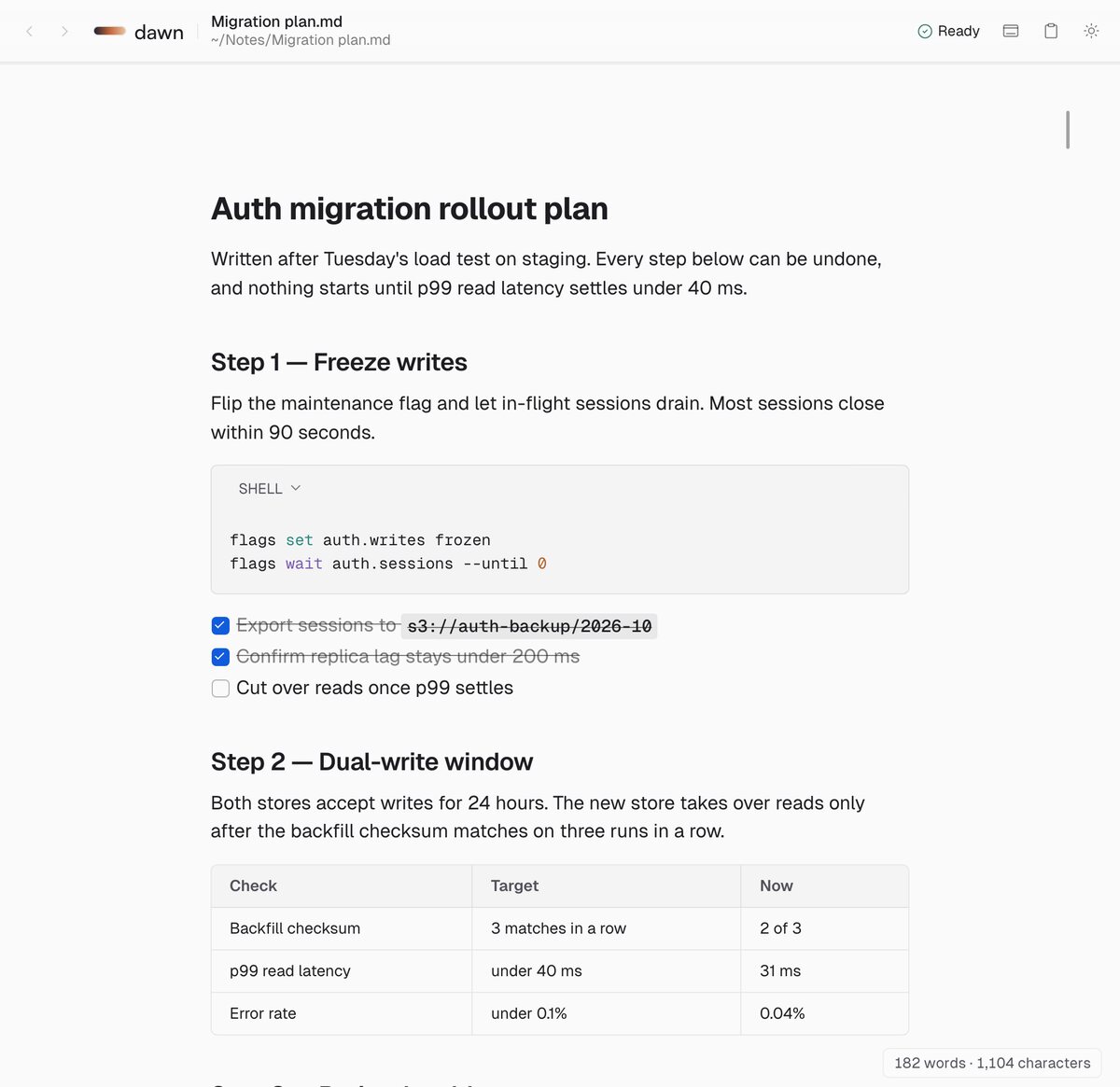
Open pages update in place. New files show up in the sidebar right away.
Turn it on in Settings. Dawn sets up Claude Code, Codex and Cursor for you.
No export step. Your edits are its next input.
It reads like a finished page and edits like one. Headings, tables and math look right while you type. The file underneath stays plain Markdown.
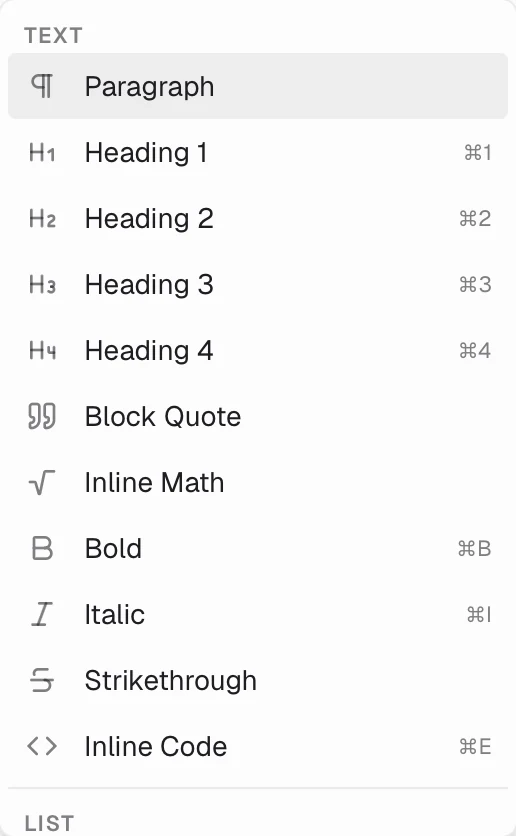
/A slash, and every block Dawn knows.
Select and press ⌘B, or use the toolbar. Dawn writes the asterisks.Dawn writes the asterisks for you.
Every workspace, file and recent document, as fast as you can type.Every workspace, file and recent document.
Forgot a shortcut? Press ⌘K and type a few letters of the command.Type a few letters of any command.
KaTeX and Mermaid render as you write, on your machine.KaTeX and Mermaid, rendered on your machine.
Switch any time with ⌘⇧L. Both are tuned for long reads.Switch any time with ⌘⇧L.
CSV becomes a table, JSON a set of fields, JSONL a list of records. Change a value right where you see it. Everything you didn't touch is saved exactly as your agent wrote it.
CSV and TSV open as a table. Click a cell to change it; add rows and columns from the menu.
JSON reads as labelled fields. Yes or no is a switch, and a list of records is a small table.
A note's frontmatter shows as Properties above its title, ready to edit.
A workspace is a folder you already have. Open it in Finder, Git or anything else.A workspace is a folder you already have.
Download, open a folder, start. There is nothing to sign up for.Download, open a folder, start.
No analytics, no telemetry. The only call home is the update check.No analytics. The only call home is the update check.
Hover the left edge of the page for the outline, word count and backlinks. Click a heading to jump to it.Hover the left edge of the page for the outline, word count and backlinks. Click a heading to jump to it.
Type in the sidebar search. File names show up first, then every line that matches, highlighted.Type in the sidebar search. File names show up first, then every line that matches, highlighted.
By name or by last edit. Dawn remembers the choice for each workspace.By name or last edit, remembered per workspace.
Drop files and folders where they belong. They move on disk, too.Files and folders move on disk, too.
Type [[ to link another note. Backlinks show every page that points here.Backlinks show every page that points here.
Step through every match, and match case when you need to.Step through every match.
Drag tabs to reorder them. Closed one by mistake? ⌘⇧T brings it back.Reopen the last one you closed. Drag to reorder.
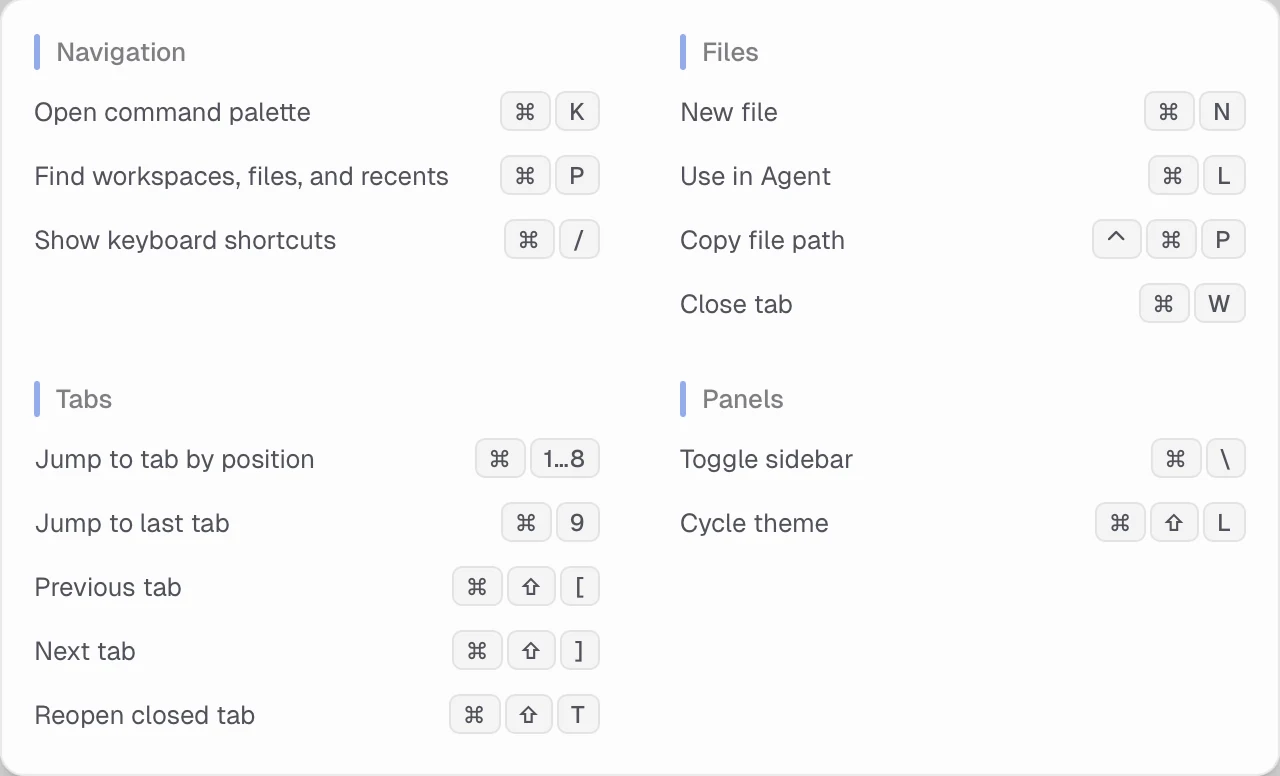
Can't remember a shortcut? Press ⌘/ and they're all there.They're all there when you need them.
Free for Mac. Open a folder, press ⌘L, and let your agent hand you the next page.
Download for MacGet Dawn for MacApple silicon · Notarized by AppleRead it on the go.Edit it on the spot.
The enjoyable way to read what your agents make, wherever you are.
Open any Markdown file, and since 2.0, edit it with a double-tap.
Free · iOS 17 or later · Data Not Collected
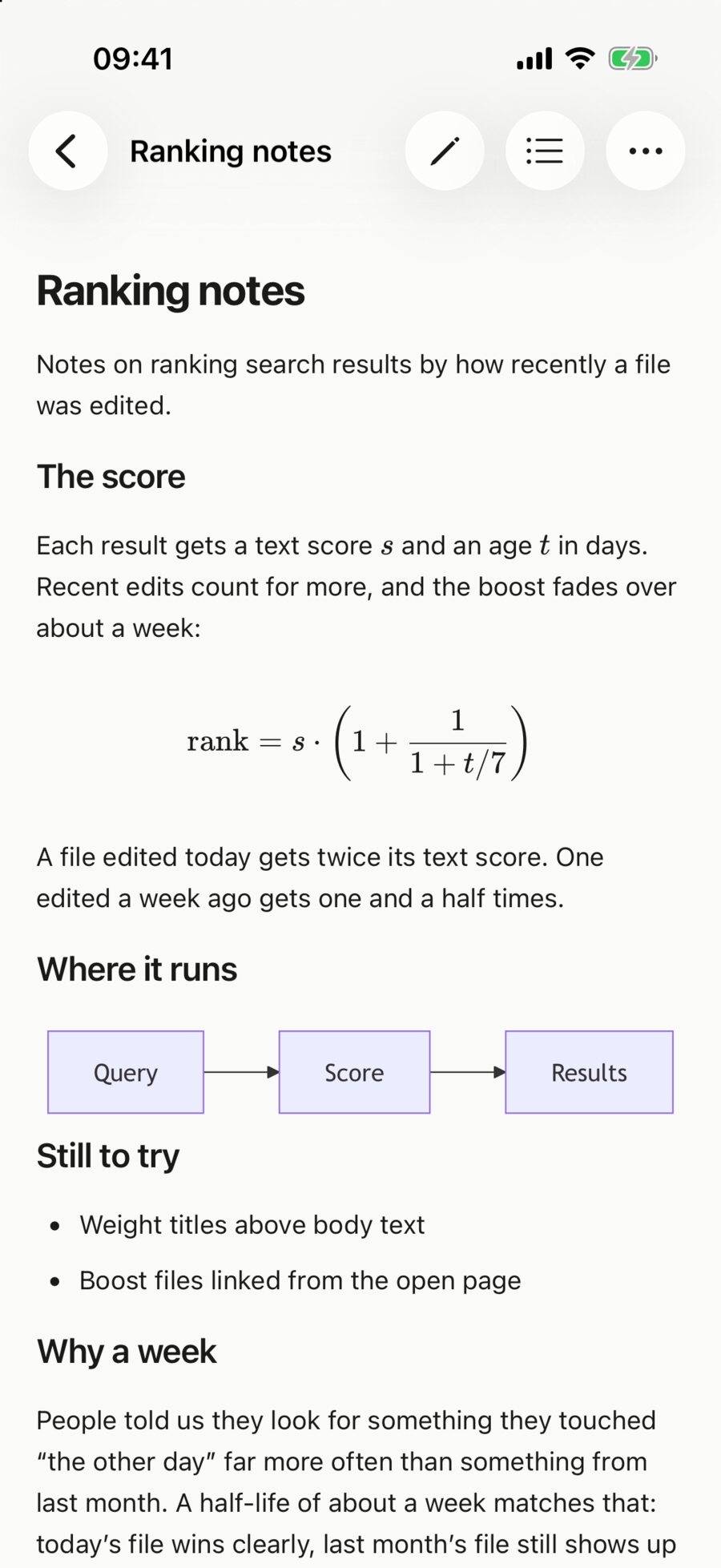
The plan your agent wrote this morning is a file in a folder. Open it in Dawn and it reads like a finished page, right on your phone.
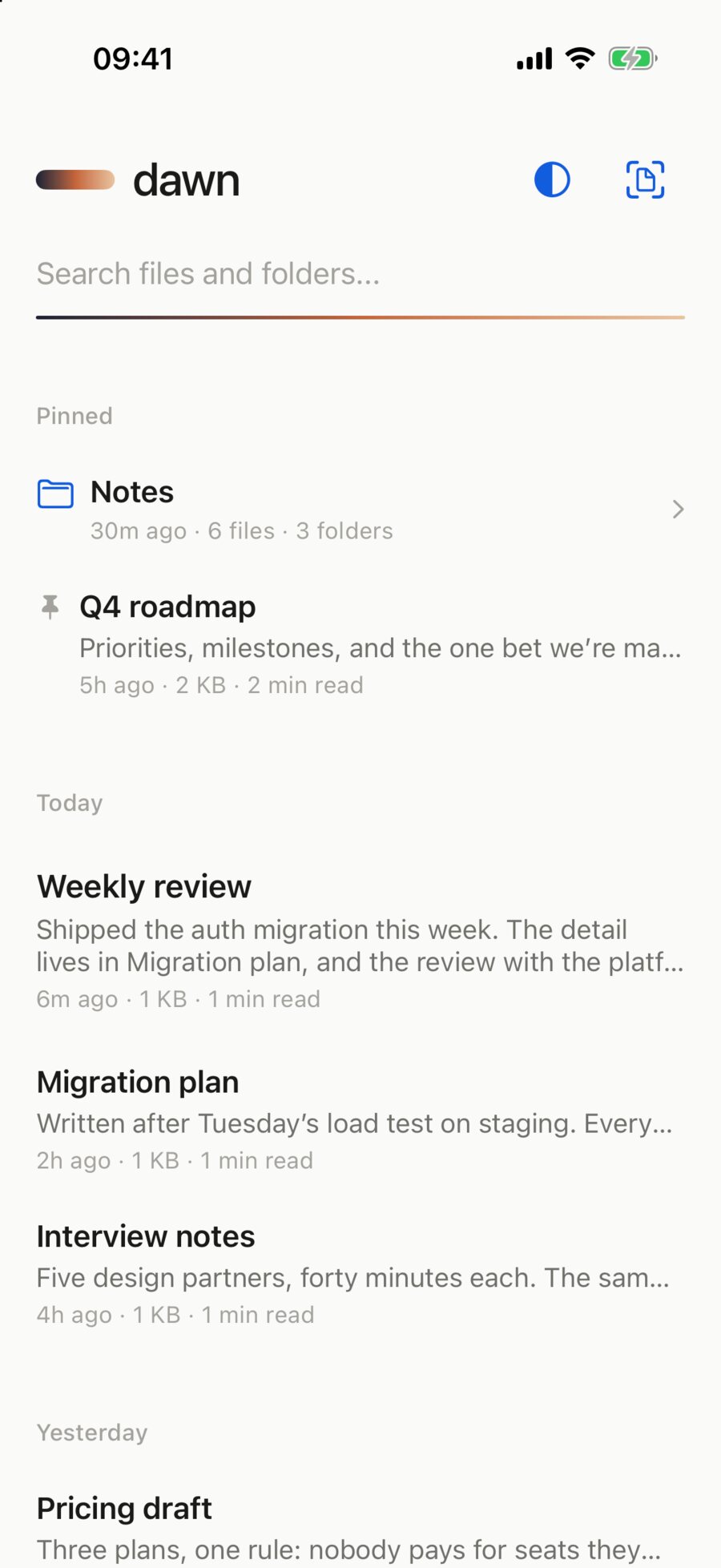
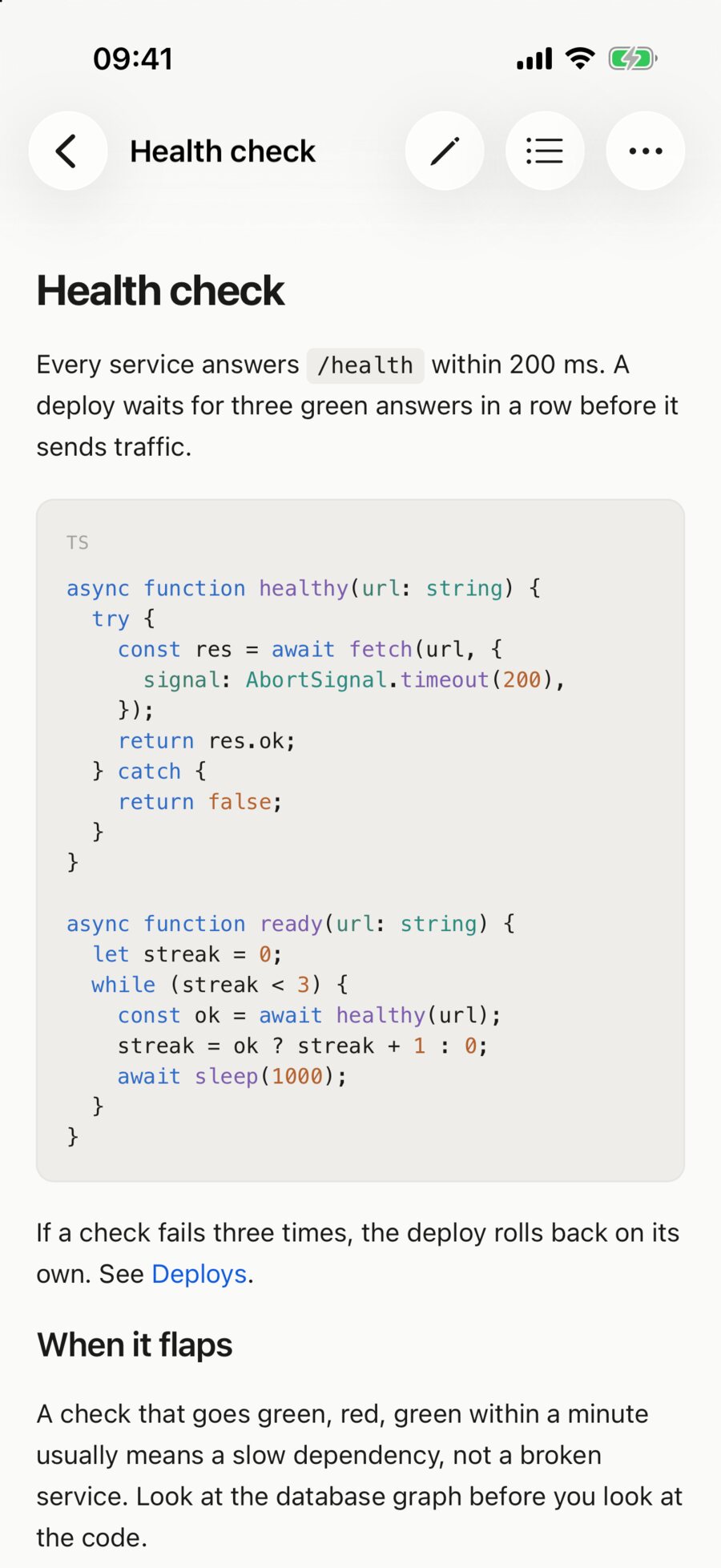
Browse a folder in Files or iCloud Drive, open a single file, or send a link from Safari's share sheet.Files, iCloud Drive, or a link from Safari's share sheet.
Recent files group by Today, Yesterday and This Week. Pinned ones stay above them all.Grouped by Today, Yesterday and This Week.
Tables, highlighted code, math and diagrams read as a page, not as symbols.Tables, code, math and diagrams read as a page.
Your agent changed the file? Pull down on the page to read the new version.Pull down to read the new version.
No source view, no mode switch. The caret lands where your finger did, and the page looks exactly as it did a second ago.
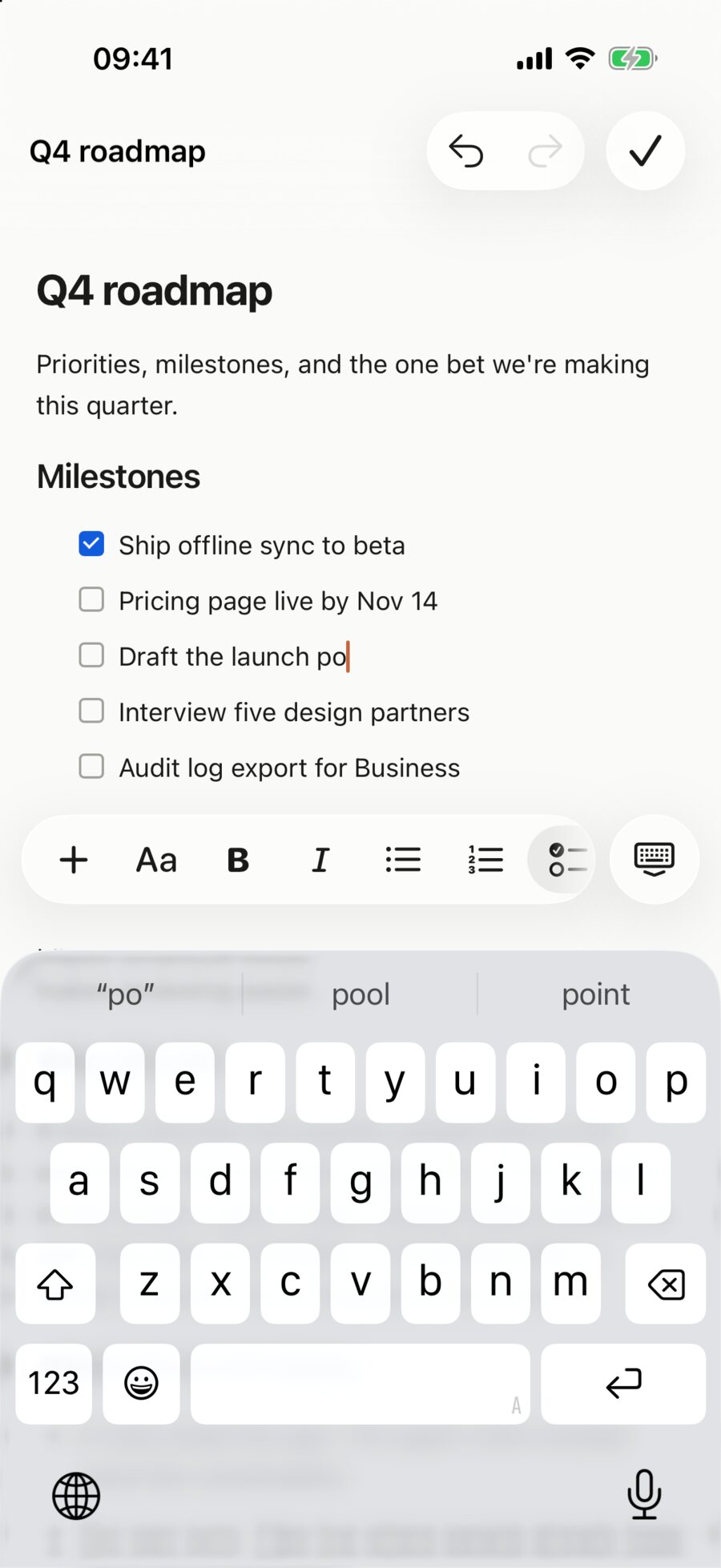
Text styles, bold, lists, to-dos, links, quotes and undo, one tap above the keys.Styles, lists, to-dos, links and undo, one tap away.
Type it the old way and it turns into a heading or a to-do the moment it's complete.It converts the moment it's complete.
Blocks you don't touch are written back byte for byte. Code, math, tables and diagrams stay whole.Untouched blocks are written back byte for byte.
Tap Done and the reader returns without a blank frame in between.No blank frame in between.
Dawn reads straight from Files and iCloud Drive. There is no Dawn cloud to sync to.Read straight from Files and iCloud Drive.
Download, open a file, read. There is nothing to sign up for.Download, open a file, read.
No analytics, no telemetry. The App Store label reads Data Not Collected.The App Store label reads Data Not Collected.
Select a passage and send it as an image card, or copy it as plain text or Markdown.Send a passage as an image card, or copy it as plain text or Markdown.
File names first, then every line that matches, across all your folders.Names first, then every matching line.
Swipe right on a file or folder. It stays at the top, above everything recent.Swipe right on a file or folder to keep it on top.
Every heading in one sheet, with your place marked. Tap one to go there.Every heading in one sheet. Tap to go there.
Share the Markdown file itself, by AirDrop, Messages or Files.AirDrop, Messages or Files.
Tap any diagram to open it full screen, then zoom in.Tap a diagram to open it full screen.
Tap the theme button to switch. Auto follows your iPhone.Auto follows your iPhone.
Pinch the page to make the text bigger or smaller. It settles on a comfortable size, and every file opens at it.Pinch the page to make the text bigger or smaller. Every file opens at the size you pick.
Free on iPhone. Open any Markdown file, wherever you are.
Download on the App StoreiOS 17 or later · Data Not Collected